Traffic over time
See observed upload and download totals, live rates and history. Filter a time range or export a CSV for a closer look.
 Codex Netwatch
LOCAL VISIBILITY. CLEARER ANSWERS.
A local Windows dashboard for traffic history, process attribution, and connection troubleshooting.
Windows 10/11 x64 · Mihomo / Clash-compatible controller required
01 / THE OVERVIEW
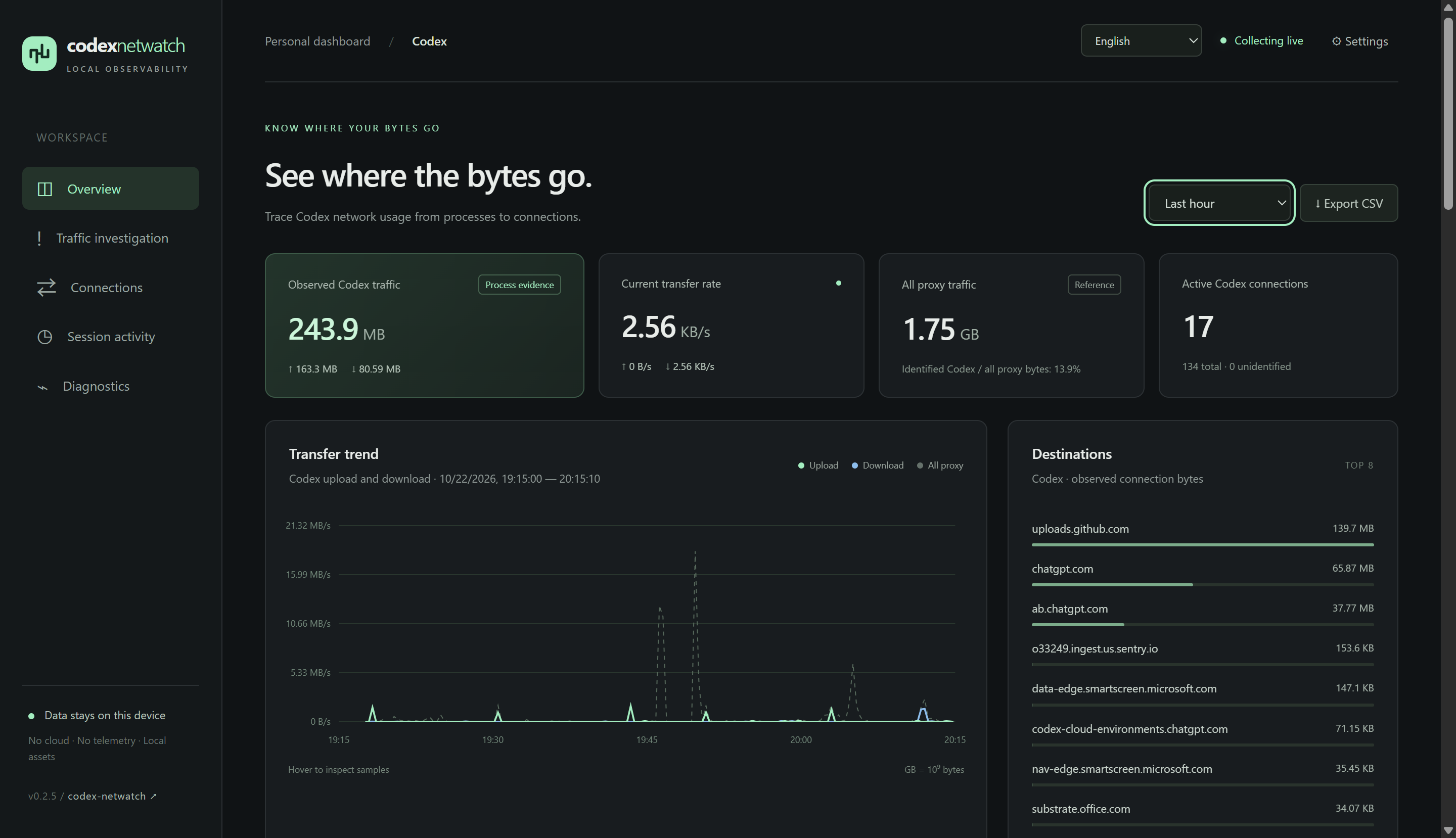
Follow observed uploads and downloads, spot changes over time, and narrow the view to the period you need.
02 / FOLLOW THE EVIDENCE
See observed upload and download totals, live rates and history. Filter a time range or export a CSV for a closer look.
Identify Codex and its child processes using process evidence. Compare with other proxy applications when you need context.
Inspect destinations and connection activity. Find upload or download bursts, sustained uploads and collection gaps.
Use session activity and local-log token counts as troubleshooting clues, alongside network observations.
LOOK A LITTLE CLOSER
Move from a spike in the chart to connection destinations and process evidence. Keep session activity in context without treating it as a precise traffic allocation.
Configuration & troubleshooting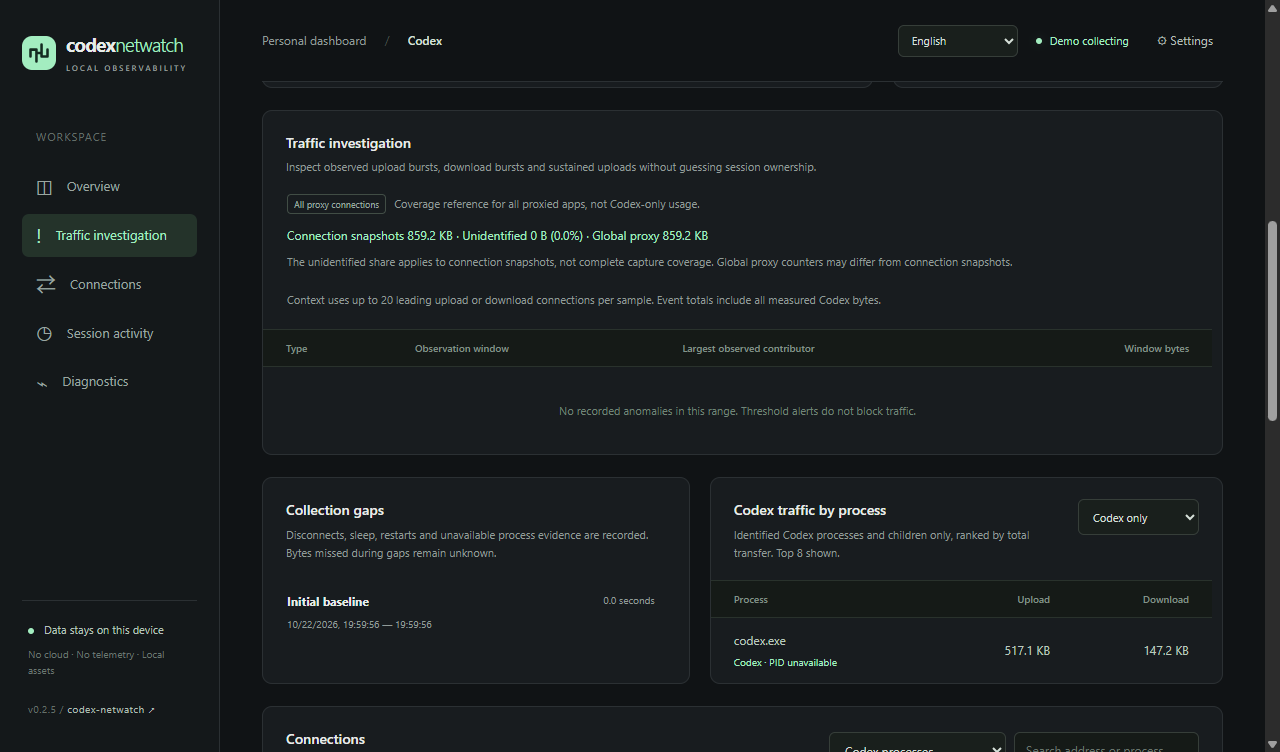
03 / GET STARTED
Get the Windows x64 portable ZIP and SHA256SUMS.txt from the same release. Verify the checksum, then extract the entire archive into a writable folder.
Run a compatible proxy and Codex, then open Codex-Netwatch.exe. The portable package includes Node.js.
Follow Connection help, send a new Codex request and wait for two samples. Existing connections establish a baseline first; only new traffic is counted.
Windows 10/11 x64, .NET Framework 4.8 and Microsoft Edge WebView2 Runtime are required. The Windows EXE is currently unsigned. Verify the downloaded ZIP against the release checksum file.
Bytes come from controller connection snapshots. Direct traffic that bypasses the controller is invisible. Short connections and final bytes before closing may be missed. These totals are not network-adapter traffic or a VPN bill. Long-running 24/72-hour validation has not been completed.
04 / GOOD TO KNOW
Network collection needs a running Mihomo / Clash-compatible local controller. Not every VPN or proxy client exposes a compatible controller. Use the controller port, not the HTTP / SOCKS proxy port; check the configuration guide for details.
Check Connection help for controller reachability, the secret and response compatibility. Make sure Codex traffic passes through that controller and has process evidence. Then generate a new request and wait for two samples. Connecting or reconnecting first establishes a baseline; offline traffic is not backfilled.
Closing the desktop window keeps collection running in the tray. Double-click the tray icon to reopen it. Use Exit in the tray menu to stop it fully. Start at login is optional and off by default.
The app has no telemetry and stores observations locally. Its local database includes destinations, process identities, session metadata, tokens and activity times; it does not persist chat bodies, tool content, command lines or credentials. Keep your database, configuration and raw CSV private. This website is a static introduction and does not connect to your local monitor.
No. Shared processes and connections cannot be split precisely into per-session GB. Session activity is a separate investigation clue, not proof of byte attribution.
No. Token counts come from local logs. They cannot be converted to GB, remaining subscription allowance, a bill or official billed usage.
OPEN SOURCE / READY WHEN YOU ARE
A portable dashboard. A local view. The evidence to investigate.